
One-on-one training sessions
Are you an (aspiring) interior design professional and want to learn all about SketchUp, Enscape, and LayOut? In a 1-on-1 training session, you'll work with me, at your own pace and level. You can book a lesson starting from 1 hour, online, at my location in Haarlem, or at your location anywhere in the Netherlands.

One-on-one
The benefits of private lessons
✓ Full attention, completely tailored to your level
✓ Customized practice assignments, or work on your own project
✓ SketchUp, Enscape and LayOut, separately or combined
✓ Bookable from 1 hour, you determine the pace
✓ Online, at my location in Haarlem or at your location
✓ € 75,- per hour excluding VAT, or a discount pass
✓ Including course material and reference work
✓ Proof of participation certificate afterwards
'Become a pro in 3D visualizations'
The three programs
SketchUp, Enscape & LayOut
These three programs together form a complete workflow: from initial sketch to photorealistic render and professional working drawing. You can follow them individually or consecutively, whatever best suits your current needs.

2D and 3D Design
SketchUp is the foundation of everything. Here, you trace floor plans, create layout plans, and build complete spaces and custom furniture in 3D. You'll learn to work from the correct settings all the way through exporting your model, so that after the training, you can independently draw your own projects.
What you will learn
- Trace floor plans and create 2D layout plansOrganize groups, components, and tags clearlyDraw custom furniture, shapes, and objectsTextures, materials, and scaling your modelScenes, camera angles, views, and cross-sectionsKeyboard shortcuts, plugins, and time-saving tips
Photorealistic rendering
Enscape runs in real-time with your SketchUp model. You instantly see what your design looks like with real light, real materials, and atmosphere. This way, you deliver images to your client that they immediately feel at home with, and you get a quicker 'yes' to your proposal.
What you will learn
- Real-time rendering directly from SketchUp
- Lighting, shadows, and HDRI backgrounds
- Setting up PBR materials and textures
- Building artificial lighting and atmosphere
- Choosing composition and camera angles
- Exporting photorealistic renders and video animations

Presentation and working drawings
In LayOut, you transform your SketchUp model into neat presentation sheets and scaled working drawings. Ideal for sharing with your client, the furniture maker, or the contractor. Do you make a change in SketchUp? Your drawing in LayOut updates with a single click.
What you'll learn
- Templates, title blocks and the right settings
- Adding viewports and scaling drawings
- Dimensioning, labels and page layout
- Pages, layers and clipping masks
- Connection with SketchUp: automatically updating drawings
- Exporting presentations and working drawings
Why 1-on-1?
One-on-one training is faster than group training because all the attention is focused on your questions and your work. You can book a lesson for as little as 1 hour.
Completely on your level
No fixed curriculum you have to follow. We start exactly where you are and skip what you already know. That way, you don't waste an hour on material you don't need.
Practice your way
You get practice assignments that allow you to immediately apply everything in practice. Do you prefer to work on your own project from your professional practice? That's also possible.
Flexible scheduling
You can book from just 1 hour and manage your own hours: online, at my location in Haarlem, or at your location. We can schedule your lessons together, or you can schedule them yourself via my online agenda.
Interested in a training session?
During this conversation, I will answer all your questions, we will discuss your personal goals, and I will advise you on how many hours and which programs best suit your level.
The conversation will last approximately 15 minutes and is completely without obligation.
In four steps
How to plan your training
Free introductory meeting
In a 15-minute video call, we will discuss your level, your goals, and which programs you need.
Individual Learning Plan
I will advise you on the number of hours you need and tailor the content of your training program.
Per hour or punch card
You pay € 75,- per hour excluding VAT, by invoice afterwards. Alternatively, you can pre-purchase your hours with a punch card and receive a discount on the entire package.
Schedule lessons
We schedule your lessons together, or you can schedule them yourself via my online calendar. Online or on location. Any unused hours can simply be used later.
Rates
You can book a lesson for as little as 1 hour for €75 per hour, excluding VAT. If you purchase multiple hours at once with a punch card? Then you will receive a discount on the entire package, so you pay less per hour.
From 1 AM
€75
per hour, excl. VAT
No package and no minimum. You schedule your lesson and pay per hour on invoice.
12 o'clock
€855
€71,25 per uur, excl. btw
For a complete foundation in SketchUp.
3 PM
€1.012,50
€67,50 per uur, excl. btw
For SketchUp and LayOut together.
20 hours
€1.275
€63,75 per uur, excl. btw
For SketchUp, LayOut, and Enscape.
All mentioned prices are exclusive of VAT. You use hours from a strippenkaart (punch card) whenever it suits you.
Already made appointments? Schedule your next lesson yourself. Or we can schedule them together.
Wat cursisten zeggen over House of Neve
We recently completed a fantastic SketchUp and Enscape training with Chrissy. She was always well-prepared, patient, and very knowledgeable. Highly recommend her to professionals looking to improve their 3D modeling and rendering skills!
Super training in SketchUp and Enscape from Chrissy! Very professional, very patient, in short, a super great trainer!
I recently completed a SketchUp training course at House of Neve, and I can confidently say it was a fantastic experience.
For the most enjoyable and best SketchUp lessons, Chrissy is your person. I'm impressed by how much I've learned in such a short time!
What a great lesson I had from Chrissy. Everything was very well prepared and well guided. Recommended!
Had a great SketchUp training with Chrissy. Thanks to her excellent preparation with clear explanations and exercises, I learned a lot in a short time!




'Your pace, your level'


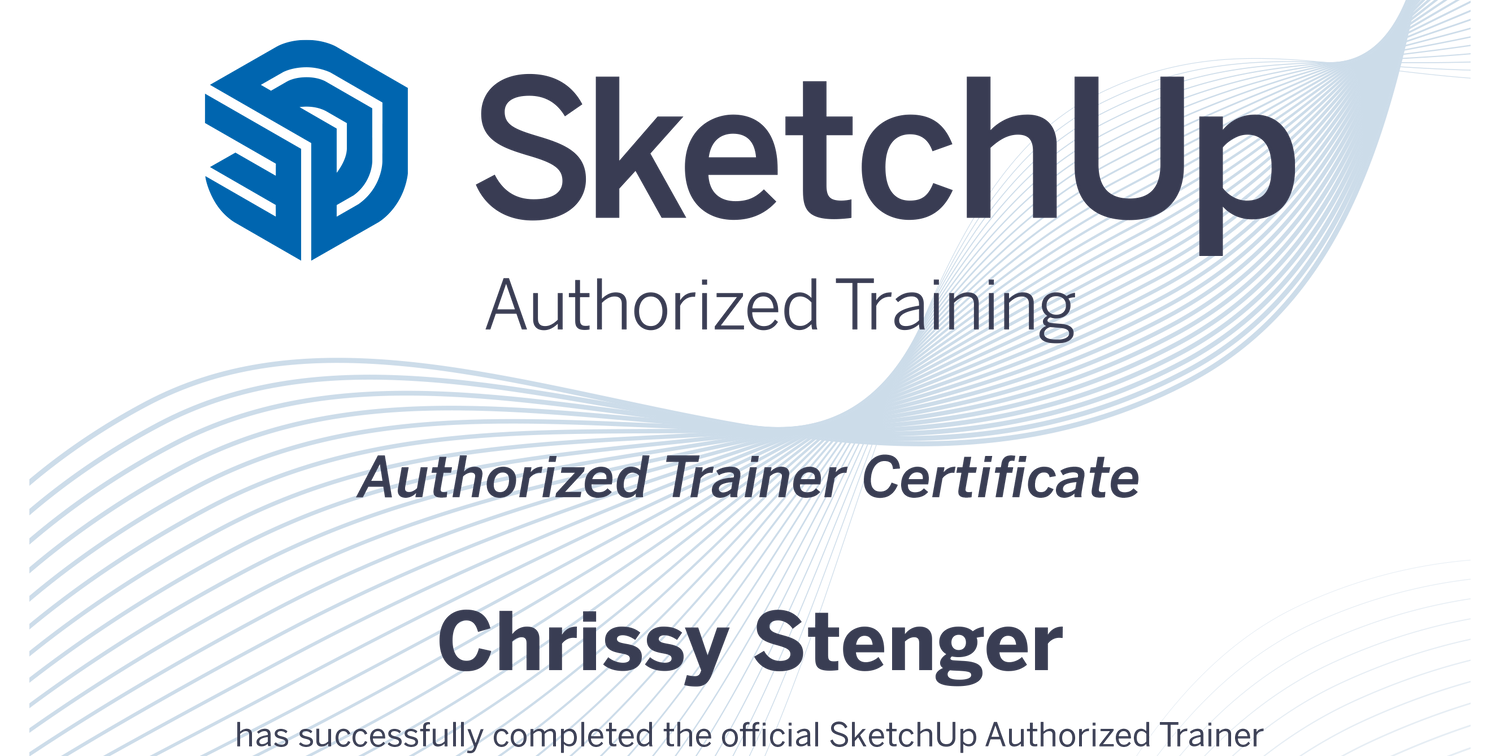
I am trained as an Interior Designer at the NIA Academy and have been officially certified as a SketchUp trainer since November 2023.
Frequently Asked Questions
Where is the training given?
The training can be given online, at my home in Haarlem, or at a location of your choice, such as your home. For on-site training I charge a travel allowance of €0.30 per kilometer, plus any parking costs.
How many SketchUp lessons do I need?
This depends on how much experience you already have with SketchUp and how fast you learn. To really get to the basics, you usually need about 10 to 20 hours of lessons. If you want to delve deeper into the material or also get started with Enscape, then take into account +20 hours.
How does payment work?
You can pay in two ways. All prices mentioned are exclusive of VAT.
1. Per hour, by invoice afterwards
You book individual lessons, starting from 1 hour, at my hourly rate of €75,- per hour excluding VAT. After the training, I will send you an invoice. This must be paid within 14 days.
2. Discounted multi-lesson card, in advance
You purchase multiple hours at once through the webshop and receive a discount on the entire package. The more hours you purchase, the higher the discount and the lower your hourly rate. You pay in advance and use your hours when it suits you.
If an invoice is not paid within the payment term, subsequent training sessions unfortunately cannot proceed until payment has been made.
What do I need to take a SketchUp training?
To attend a SketchUp training you will need a number of basic supplies, including:
1. A computer or laptop
2. A scroll wheel mouse
3. Sketchup Pro software
4. Internet
Does it matter which operating system I use?
You can use both macOS and Microsoft Windows to follow the training with me.
There is a slight difference in the shortcuts per operating system.
I work with a macOS laptop myself, so my knowledge of how the software works on macOS is slightly more extensive than on Microsoft.
So there may be minor user experiences between the two systems, but in either case I can help you!
What will you learn in the SketchUp training?
The training has been specially developed for other interior professionals who are looking for support in designing homes, spaces and furniture for interior projects.
Are you not an interior designer, but still want to learn all the skills? That is possible! The training will then be adapted to your specific needs.
Depending on the number of hours you book, I can teach you the following topics during the training:
- The right settings
- Shortcuts & time-saving tips
- All toolsets
- Groups & components
- Textures & materials
- Drawing shapes & objects
- Drawing in 2D & 3D
- Tracing floor plans
- Dimensions & axes
- Scales
- Organizing tags
- 2D lighting plan
- 3D warehouse
- Styles & ambiance
- Camera angles & viewpoints
- Scenes & animations
- Views and sections
- 2D layout plan
- Custom made furniture
- Useful plugins & extensions
- Export in SketchUp
- Export to Layout (extra)
- Presentation in Canva (extra)
- Rendering in Enscape (extra)
Do you also teach in groups?
Yes, that's definitely possible! Group lessons can be fully customized to the level and needs of the participants. Depending on the number of participants and the type of lesson, a group discount is also available. Feel free to contact me to discuss the possibilities. I'd be happy to discuss them with you.
Do I receive a certificate afterwards?
Yes, upon completion of the training, you will receive a proof of participation certificate. This certificate will state the training completed, the number of training hours, the name of the trainer, and confirmation that the training was taken at House of Neve. A valuable proof of participation for your own records or professional development.
Do I receive course materials or reference works?
Yes, after each training you will receive a presentation with all the topics discussed. This will also include any homework and assignments. You can use this presentation later as a reference to review or reread certain sections at your leisure.
Is your question not listed?
Reassure them. Schedule a free 15-minute introductory call or send me an email. I'd be happy to help you think things through.
