


SketchUp | Group training
SketchUp | Group training
Excl. VAT
✓ Level: beginners / refresher course
✓ Incl. lunch, coffee & tea
✓ Ideal for interior designers, interior builders and design teams
✓ Includes course materials and reference work
✓ Networking with industry colleagues
✓ Proof of participation certificate afterwards
✓ Access to the student group app
✓ Up to 3 weeks after the course, you can ask questions in the group app
Couldn't load pickup availability


'Become a pro in 3D Visualisations'
Wat cursisten zeggen over House of Neve
Had a great SketchUp and Enscape training with Chrissy! She takes her time and makes sure you look forward to every session. Very professional, very patient, in short, a super great trainer! I would recommend her to everyone!
We recently completed a fantastic SketchUp and Enscape training with Chrissy. She was always well-prepared, patient, and very knowledgeable. Highly recommend her to professionals looking to improve their 3D modeling and rendering skills!
I recently completed a SketchUp training course at House of Neve, and I can say with full conviction that it was a fantastic experience.
For the best and most enjoyable SketchUp lessons, Chrissy is your go-to person. Professional and skilled, yet at the same time friendly and warm. I'm impressed by how much I learned in such a short time!
What a great lesson I had from Chrissy. Everything was very well prepared and I was well guided to quickly find my way around Sketchup. Highly recommended!
Had a great SketchUp training with Chrissy. Thanks to her excellent preparation with clear explanations and exercises, I was able to learn a lot in a short time. Thank you, Chrissy!





Group Training
Frequently asked questions
Where is the training held?
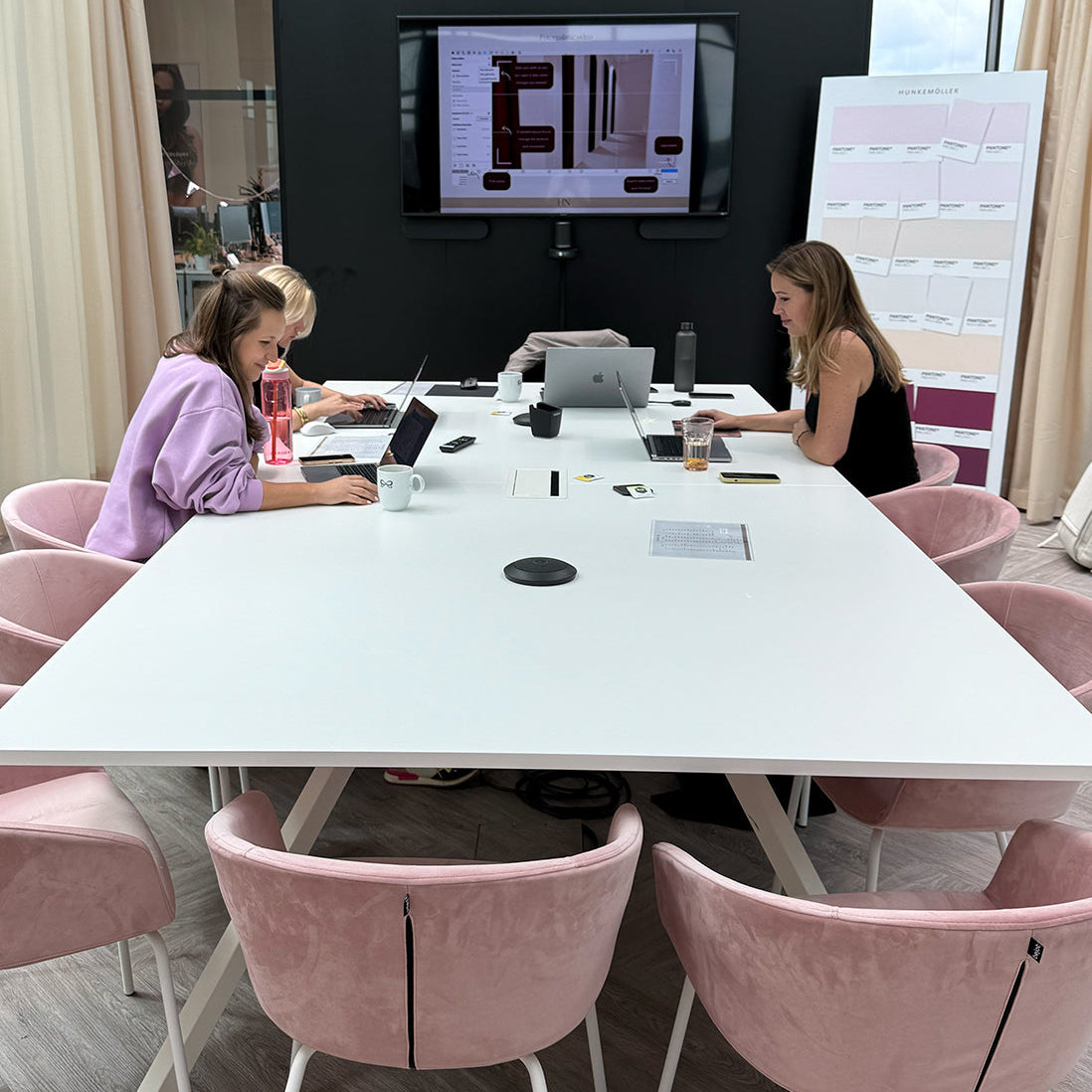
Group training sessions take place at our location in Haarlem.
Address:
Hendrik Figeeweg 1E (room 20)
2031BJ Haarlem
Who is the training intended for?
The training is intended for interior professionals, designers, and creatives who want to work faster, more professionally, and with more confidence in SketchUp, LayOut, and/or Enscape.
What do I need to participate in a group training session?
For a training, you basically need the following:
- A desktop computer or laptop
- Scroll wheel mouse
- Internet
- Software package for the chosen course
Do you want to know which software package you need from SketchUp Pro, LayOut or Enscape? Then send me an e-mail to chrissy@houseofneve.nl, and I will send you the correct link!
How large is the group?
The group consists of a maximum of 6-8 participants. This allows for ample personal guidance, questions, and feedback.
What do you learn in the group training?
This training has been specifically developed for interior professionals who are looking for group support in designing homes, spaces and furniture for interior projects.
SketchUp
- The correct settings
- Shortcuts & time-saving tips
- All toolsets
- Groups & components
- Textures & materials
- Drawing shapes & objects
- Drawing in 2D & 3D
- Tracing floor plans
- 2D layout plan
- Dimensions & axes
- Scaling models & textures
- Organizing tags
- 3D warehouse
- Styles & ambiance
- Camera angles & viewpoints
- Scenes & animations
- Views and cross-sections
- Custom furniture
- Useful plugins & extensions
- Exporting in SketchUp
LayOut
- Templates & settings
- Setting up title blocks
- Adding viewports
- Scaling drawings
- Pages & layers
- Dimensions
- Adding labels
- Drawing lines & shapes
- Shape & font styles
- Clipping masks
- Saving LayOut templates
- Connecting SketchUp and updating drawings in LayOut
- Exporting presentations and working drawings
Enscape
- Real-time rendering
- Composition & camera positions
- Lighting & shadows
- HDRI backgrounds
- Materials & textures
- PBR materials
- Artificial lighting
- Optimizing visual settings
- Photorealistic renders
- Creating video animations
Does it matter which operating system I use?
You can use both macOS and Microsoft Windows to follow the training with me.
There is a small difference in the keyboard shortcuts per operating system.
I personally work with a macOS laptop, which means my knowledge of how the software works on macOS is slightly more extensive than on Microsoft.
Therefore, there may be minor user experience differences between the two systems, but in both cases, I can help you!
Do I get a certificate afterwards?
Yes, upon completion of the training, you will receive a proof of participation certificate. This certificate will state the training followed, the number of training hours, the name of the trainer, and confirmation that the training was taken at House of Neve. A valuable proof of participation for your own records or professional development.
Will I receive course materials or reference works?
Yes, after every training session, you will receive a presentation covering all discussed topics. This will also include any homework and assignments. You can use this presentation later as a reference to calmly review or reread certain sections.
Do I need experience with the program?
No, you don't need to have experience with SketchUp, LayOut, or Enscape. If prior knowledge is required for a group training, this will be clearly stated in the training description.
Do you already have some experience and are taking a beginner's course? Then you can also use the training as a refresher course to strengthen your foundation and learn to work faster.
Tailored group training?
Would you prefer a customized training for your company or team? Contact me for a no-obligation quote.